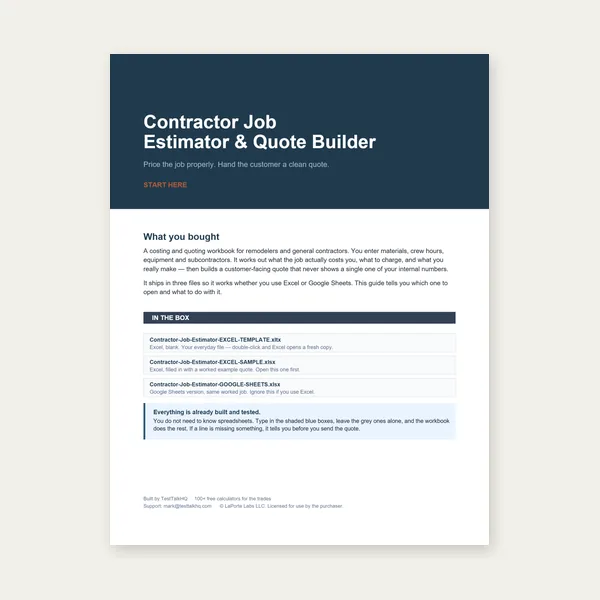
Contractor Job Estimator
Price remodels and GC work, then send a quote with no internal numbers.
Excel or Google Sheets. Best on a computer.
$29.00
BuyOversize parts, low yield, DXF hulls, overflow sheets, and time-budget warnings
When the 2D Sheet Nesting Optimizer reports unplaced parts, suspicious yield, or a convex-hull DXF, this guide walks through the usual causes and fixes. For a full walkthrough of settings, start with How to Nest Parts for 2D Sheet Cutting.
Set sheet size, add parts (rectangles, circles, or DXF uploads), hit Auto-nest, then drag pieces to fine-tune. Export PDF, DXF, or CSV when the layout looks right.
Open 2D Sheet Nesting Optimizer →After Auto-nest, a yellow banner lists pieces that did not fit even alone on an empty sheet at the current width × height (including kerf and allowed rotation). Common causes:
Fixes: increase sheet size, split the part in CAD, reduce kerf to realistic values, enable Rotate, upload a proper closed DXF with True Shape On, or hand-place after a partial Auto-nest. If the part should fit but still flags unplaced, check the parts table size against your CAD bounding box.
Yield % is placed part area ÷ total sheet area on all sheets used. Low yield is normal when:
Fixes: nest onto a smaller custom sheet size that matches your remnant, combine more parts into one job, upload DXF outlines with True Shape On, try Thorough effort for DXF jobs, or hand-drag parts into corners and pockets after Auto-nest. For mixed jobs where algorithm yield plateaus, see Auto-Nest vs Manual Nesting.
When you upload a DXF, the parts table shows either true outline or convex-hull boundary. A convex hull is the rubber-band shape around your geometry — concave pockets and re-entrant corners are filled in. Nesting on the hull:
The parser prefers a single closed outer loop. It falls back to a hull when the file has gaps, multiple disjoint outlines, open contours, or construction geometry that does not form one closed boundary.
Fixes in CAD before re-upload: join open endpoints, delete construction lines, export one part per file, ensure the cut contour is closed, simplify splines to polylines if needed, and verify scale (1:1 drawing units). Re-upload until the table reads true outline, then run Auto-nest with True Shape On.
When total part area exceeds one sheet, the engine opens Sheet 2, Sheet 3, and so on until parts are placed or marked unplaced. Sheet tabs let you review each plate independently; PDF/DXF export applies to the current sheet tab for DXF.
If you expected everything on one sheet but got two:
Overflow is not a bug — it is the tool telling you the job needs more stock. Use sheets used + waste area + yield together when deciding whether to buy another full sheet or rearrange.
Circles nest inside square footprints (diameter × diameter) in the rectangle packer — the corners of that square are empty air. That is correct for collision detection but lowers yield when a job is mostly rounds (flanges, washers, holes-on-plate patterns).
Mitigations: mix circles with rectangles so corners get filled; switch small rounds to DXF circles (true outline) in true-shape mode so adjacent parts can encroach into corner voids where clearance allows; hand-place rings in a hex-style pattern after Auto-nest; or accept lower yield when the layout is still cheaper than manual trial-and-error.
True-shape Auto-nest runs in the browser with a time budget per quality preset (Fast ~2.5s, Balanced ~5s, Thorough ~14s of search per packing pass — approximate). On large part counts or complex polygons, Thorough may exhaust its budget before trying every 15° angle on every part. The status message time budget hit — reduced angle search means the engine finished with a valid, kerf-safe layout but skipped some angle/position combinations.
What changes: you might miss a slightly tighter nest that only appears at an unusual rotation. What does not change: parts should not be falsely marked oversize because of timeout — degradation trims search effort, not fit testing on angles already tried.
What to do:
Re-read How to Nest Parts for 2D Sheet Cutting for kerf math and export choices. Compare auto vs hand placement in Auto-Nest vs Manual Nesting. For 1D bar issues (unfittable length, remnant order), use Cut List Troubleshooting instead — different tool, different failure modes.
Price remodels and GC work, then send a quote with no internal numbers.
Excel or Google Sheets. Best on a computer.
$29.00
BuyCheckout opens here — you stay on this page.