Lathe Turning Troubleshooting
Diagnose OD taper, insert chip-out, poor finish, chuck slip, and stainless work-hardening — when the calculator RPM already looked right
Not another SFM chart. Pair this with the Lathe Turning Calculator and Lathe Turning Speeds & Feeds Guide when the numbers pass and the cut still fails. Generic SFM burn/BUE diagnosis lives on Cutting Speed Troubleshooting. Internal boring failures belong on Boring Bar Troubleshooting. This page stays on OD turning field diagnosis.

Lathe Turning Problems Quick Answer
Use this when you entered diameter, material, and tool type into the calculator, set the RPM, and the part still tapers, chatters, chips inserts, finishes poorly, or slips in the chuck.
| Problem | What it usually means | First fix | Next tool |
|---|---|---|---|
| OD tapers along the cut | Deflection; tool above/below center; tailstock offset; long overhang | Indicate centers; shorten stick-out; check tool height | Lathe Turning Calculator |
| Insert chips or fractures | Interrupted cut; too much DOC; wrong grade/geometry; crash engagement | Reduce DOC; stronger edge prep; roll into cut | Carbide vs HSS |
| Finish pass still rough | Feed too high for nose radius; worn insert; DOC too light (rubbing) | Fresh insert; match feed to nose R; leave real stock | Speeds & Feeds Guide |
| Part slips or pulls out | Insufficient chuck grip; soft jaws wrong; excessive feed/DOC for holding | Re-grip; soft jaws; reduce load; live center | Lathe Turning Chart |
| Stainless hardens mid-pass | Dwell / feed stop; rubbing DOC; dull edge | Never pause feed; keep chip thickness; sharp insert | Cutting Speed Troubleshooting |
1. OD Tapers When RPM and Feed Looked Right
What it looks like: Diameter at the chuck end differs from the free end by several thou after a “straight” pass. Indicator sweep along the OD shows a consistent slope. Surface may look fine; the print fails.
Likely causes: Work or tool deflection under DOC — long stick-out or slender bar springs away from the insert mid-pass. Tool above or below spindle center — effective rake changes and the cut pushes the part. Tailstock not aligned to the spindle axis — live center forces a taper on between-centers work. Carriage or cross-slide play that shows up only under cutting load.
Fixes: Shorten tool overhang; move the cut closer to the chuck or add a live center / steady rest. Set tool tip on the spindle centerline — a height gauge or dial indicator on a test bar beats “eyeball.” Indicate the tailstock to the spindle before blaming SFM. If taper only appears under heavy roughing, drop DOC and leave finishing stock — then re-check with the Lathe Turning Calculator at the actual remaining diameter.
2. Insert Chips, Fractures, or Flakes Mid-Cut
What it looks like: Sudden bang; shiny chip pocket on the insert corner; gouge spiral on the OD; tool pressure spikes then drops. Often on facing into a keyway, cast iron skin, or after an aggressive plunge.
Likely causes: Interrupted cut with a sharp finishing geometry — positive rake finish inserts hate slamming into air gaps. DOC or feed beyond the insert’s edge strength. Wrong substrate/coating for the job — see tooling fork below. Engagement crash — plunging the cross-slide into solid stock at full DOC instead of ramping in.
Fixes: Use a tougher grade / stronger edge prep for roughing and interruptions; save sharp finish inserts for continuous OD. Reduce DOC before reducing RPM when the calculator SFM is already in range. Enter the cut by rolling the cross-slide or using a ramp — do not slam. For HSS vs carbide decisions on interrupted work, open Carbide vs HSS Tooling rather than guessing from SFM alone.
Chip looks thermal, not fracture? That is usually speed/coolant territory, not stick-out.
Cutting Speed Troubleshooting3. Finish Pass Still Looks Rough or Scalloped
What it looks like: Visible feed marks; scallops matching IPR; haze or torn surface after the “finish” numbers. Mic shows size OK; customer rejects cosmetics or Ra.
Likely causes: Feed too high for the insert nose radius — theoretical Ra scales with feed² / (8 × nose radius). Worn or chipped finishing insert reused from roughing. DOC so light the edge rubs instead of cuts — especially after spring-pass myths on stainless. Spindle speed wrong for the current diameter after a heavy roughing cut (manual lathe without CSS).
Fixes: Index a fresh finishing insert. Drop feed into the finishing IPR window from the guide / chart for your nose radius. Leave 0.010–0.020" real stock for the finish pass — rubbing DOC creates heat and BUE. Recalculate RPM at the finish diameter with the calculator.
4. Part Slips, Pulls Out, or Scores in the Chuck
What it looks like: Chuck marks smear; diameter suddenly changes mid-pass; part rotates relative to the jaws; long bar walks out toward the tool. RPM still matches the calculator.
Likely causes: Grip force too low for the DOC × feed load. Soft jaws bored oversized or undersized for the blank. Oily or tapered stock in hard jaws. No tailstock on a long overhang while taking a roughing cut that the jaws cannot resist.
Fixes: Clean jaws and stock; re-chuck with proper jaw stroke. Soft-jaw bore to the actual holding diameter. Reduce DOC/feed until holding is honest, then work back up — do not “fix” higher RPM to compensate. Add a live center or steady rest when L/D makes the cut a lever against the chuck. Recheck calculator inputs only after the part is rigid again.
5. Stainless Work-Hardens Mid-Pass (Lathe-Specific)
What it looks like: First inches cut clean; then the insert squeals, chips turn powdery, and the surface glass-hardens. Stopping to “check size” made the next start worse. Calculator SFM for stainless was already used.
Likely causes: Feed paused or slowed mid-pass — dwell lets 300-series harden under the edge. DOC too light after a spring pass — rubbing instead of cutting. Dull or wrong edge geometry for stainless. Coolant starved at the cut.
Fixes: Never stop the feed mid-cut on stainless — finish the pass or retract cleanly and restart with a real DOC. Keep chip thickness in the stainless IPR band from the guide. Index a sharp stainless-capable insert. Flood the cut. If the surface already hardened, take a deeper DOC with a tough edge past the glazed layer — do not polish it with lighter and lighter passes.
Decision: Carbide vs HSS / Rough vs Finish — Already Covered
Tool-material choice (carbide vs HSS, when interruptions favor HSS) is already on Carbide vs HSS Tooling. Roughing vs finishing parameter logic and SFM tables live in the Lathe Turning Speeds & Feeds Guide and Lathe Turning Chart. This troubleshooting page does not duplicate those forks — cross-link instead.
Recommended Tools for Lathe Turning Diagnosis
Five CSV catalog picks — measure diameter honestly, indicate setup, and run OD/ID tooling that matches the failure mode
Accusize 1/2" × 7" SCLCR Indexable Boring Bar
- Rigid CCMT-style holder for finish work
- Useful when OD setup mirrors ID lessons
- Right-hand indexable geometry
- Lathe / Turning Tooling catalog

Starrett Electronic Slide Caliper
- Catch taper between chuck and free end
- Verify diameter entered into the calculator
- Digital readout for shop consistency
- Measurement catalog
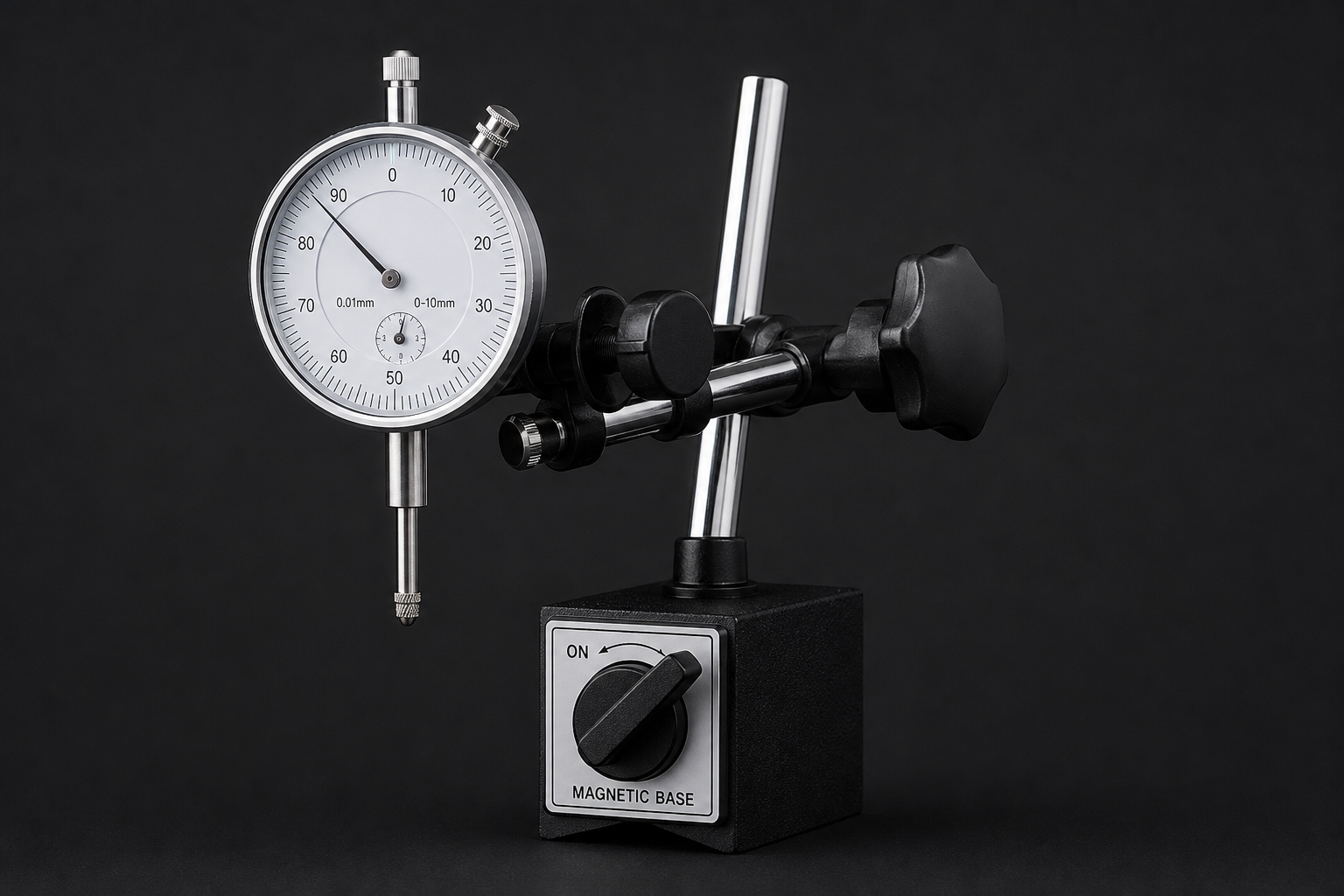
Dial Indicator Set — Magnetic Base
- Indicate taper and tailstock alignment
- Set tool height on center
- Mag base for lathe bed setup
- Precision Measuring catalog
OSCARBIDE Boring Bar Set
- Paired ID work after OD turning
- Multiple bars for common small bores
- Indexable carbide system
- Lathe / Turning Tooling catalog

Lathe Grooving/Parting Tool Holder MGEHR1212-3
- Relief grooves and parting after OD turn
- Clean shoulders before finish passes
- 12 mm shank with carbide inserts
- Cutting Tools / Machining catalog
As an Amazon Associate, TestTalkHQ earns from qualifying purchases. All five cards are sourced only from the affiliate CSV. Catalog gaps flagged by name: dedicated OD turning insert sets (SCLCR OD holders), live centers, soft-jaw blanks, cutting fluid (Tap Magic), micrometers.
Frequently Asked Questions
The calculator RPM matches — why is my diameter still tapered?
Taper is almost always deflection, tool height, or tailstock alignment — not SFM. Mic both ends and indicate the setup before changing material SFM.
Should I drop RPM when inserts chip?
Not first. Check DOC, interrupted geometry, and engagement. Thermal burn-up is a speed problem; fracture is usually load/geometry.
How is this different from Cutting Speed Troubleshooting?
That page covers generic SFM failures (burn, BUE, chip color) across processes. This page diagnoses lathe OD failures: taper, chuck slip, finish scallops, and stainless dwell on a turning pass.
Do I need a new chart?
No. Use the existing Lathe Turning Chart for SFM/IPR tables. This page is diagnosis only.
Carbide or HSS for interrupted OD work?
See Carbide vs HSS Tooling — already the decision article for this calculator’s tooling fork.