Sine Bar Troubleshooting

When the indicated angle does not match H = L × sin(θ)

If your sine bar setup reads off from the calculator, the trig is rarely wrong — the stack, the plate, or the bar usually is. Work through these failure modes in order.

Recompute the expected height with the Sine Bar Angle Calculator, then verify the physical stack before blaming the bar.

Symptom → Likely Cause Map

  • Angle consistently low: stack short (missed block, poor wring gap, wrong L too long).
  • Angle consistently high: debris under roller, oversize stack, wrong L too short.
  • Angle drifts while you work: thermal growth from bare hands or shop temperature swing.
  • Repeat setups disagree: dirty wringing faces, magnetic swarf on rollers, worn roller flats.
  • Matches digital gauge but fails on the plate: digital zero/reference error — or you are comparing different datums.

Gauge Block Wringing Errors

A stack that is not fully wrung has microscopic air gaps. Those gaps add height (angle reads high) or, if the stack collapses under the bar weight later, the angle drops mid-job.

  • Clean and dry every face. Oil prevents wringing.
  • Feel for the grab. If faces slide freely, rebuild.
  • Mic the finished stack. If mic height ≠ target H, do not put it under the bar.
Field check: After seating the bar, gently try to twist the top block. Movement means the stack is not trustworthy.

Thermal Expansion from Bare Hands

Steel gauge blocks grow when you hold them. A few degrees of temperature rise on a multi-inch stack is enough to move the last decimal place — and on a 5" bar that maps directly into arc-seconds of angle error.

  • Wear gloves or use forceps for final stacking.
  • Let the stack and bar soak to plate temperature (10–20 minutes in an inspection room).
  • Keep heat sources (lamps, coffee cups, breath) off the setup during critical checks.

Magnetic Contamination & Dirty Rollers

Sine bars and plates live near grinders and mills. Magnetic fines stick to rollers and look invisible until they hold the roller off the plate by a few tenths.

  • Demagnetize and wipe rollers before every critical setup.
  • Inspect roller OD under good light for flat spots or chips.
  • Clean the plate with a stone and wipe — a single chip under a roller is a systematic angle error.

Roller / Plate Wear on Older Bars

Older shop bars develop flat spots on rollers or out-of-parallel top faces. Geometry assumptions fail: sin(θ) = H/L only if the roller centers and top face still match the original calibration.

  • Compare a known stack (for example 2.5000" on a 5" bar → 30°) against a calibrated angle reference or autocollimator if available.
  • If a trusted stack produces a wrong angle, retire or recondition the bar — do not "compensate" with a fudge factor on production work.

Diagnosing an Angle That Reads Off

  1. Recalculate H with the calculator using the stamped center distance.
  2. Mic the stack. Fix wringing/selection until height matches.
  3. Clean plate and rollers. Reseat the bar.
  4. Indicate the top face along its length. Rock or taper means dirt or a damaged bar.
  5. If the geometry is good but the part still fails fit, the angle may only be one contributor — open the Tolerance Stack-Up Troubleshooting guide for assembly-level diagnosis.

Back to basicsSetup technique and wringing are covered step-by-step in the guide.

Open Setup Guide →

FAQ

My digital gauge disagrees with the sine bar — which is right?

For critical angular work, trust a properly built sine bar on a clean plate over a pocket digital gauge. Digitals are excellent for roughing and fixtures; they are not a substitute for gauge-block geometry. See Sine Bar vs Digital Angle Gauge.

Can surface finish on the part fool the indicator?

Yes. A rough face scatters indicator readings. Finish the reference patch before you chase tenths of angle — the Surface Finish Ra Troubleshooting article covers comparator vs profilometer confusion.

Related Tools

Machining

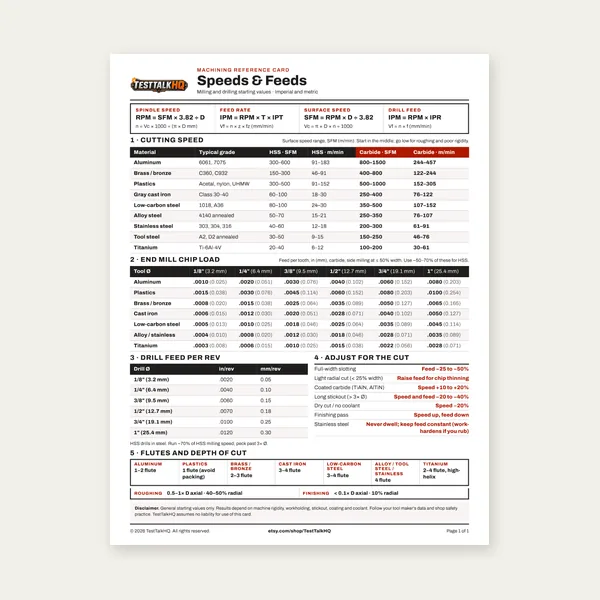
Machining Speeds & Feeds Card

Machining Speeds & Feeds Card

One page. Speeds, chip load and drill feed, imperial and metric.

$3.99

Buy

Complete Machining Speeds & Feeds Guide

Complete Machining Speeds & Feeds Guide

27 pages. Milling, drilling, tapping, turning and CNC routing.

$12.99

Buy
Machining Job Estimator

Machining Job Estimator

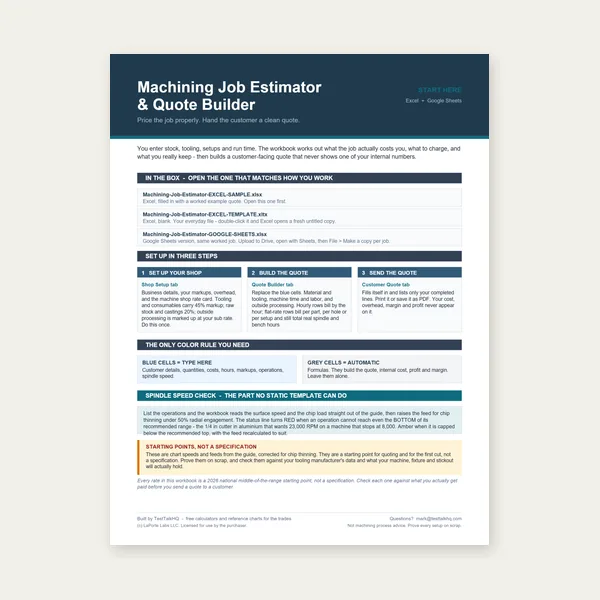
Quote shop work and check operations against your spindle's top speed.

Excel or Google Sheets. Best on a computer.

$29.00

Buy

BEST VALUE
Machining Complete Bundle

Machining Complete Bundle

Card, 27-page guide and the estimator workbook. All six files.

Excel or Google Sheets. Best on a computer.

$34.99

$45.98 if bought separately — save $10.99

Buy

See all Machining products

Checkout opens in a new tab.